
Legal teams drowning in manual document processing face mounting delays, compliance risks, and productivity bottlenecks that cost valuable time and resources. Repetitive contract drafting, inconsistent templates, and error-prone approval chains create friction that slows critical business transactions. This comprehensive guide walks legal and compliance professionals through building robust document automation workflows tailored for small to medium enterprises in 2026. You'll discover practical preparation strategies, step-by-step execution frameworks, and verification mechanisms that transform chaotic manual processes into streamlined, compliant systems that boost accuracy and free your team to focus on high-value legal work.
Table of Contents
- Understanding the need for document automation in legal workflows
- Preparing your legal document automation workflow
- Executing the document automation workflow step-by-step
- Verifying and maintaining your document automation workflow
- Explore BXP Legal AI for document automation
- Frequently asked questions
Key takeaways
| Point | Details |
|---|---|
| Automation cuts errors and speeds processing | Automated workflows reduce drafting mistakes while accelerating document turnaround times significantly. |
| Preparation with templates is foundational | Standardizing templates and clause libraries before automation ensures consistency and compliance. |
| Step-by-step execution prevents costly mistakes | Testing workflows thoroughly and training staff properly avoids implementation failures. |
| Ongoing verification sustains compliance | Regular audits and template updates maintain accuracy as regulations evolve. |
Understanding the need for document automation in legal workflows
Manual document processing creates serious operational challenges for legal teams in SMEs. Every contract drafted from scratch, every compliance form filled by hand, and every approval routed through email threads introduces delay and human error. These inefficiencies compound quickly when teams handle dozens or hundreds of documents monthly, creating bottlenecks that frustrate clients and expose organizations to compliance violations.
Small to medium enterprises face unique resource constraints that make automation particularly valuable. Unlike large law firms with dedicated support staff, SME legal teams often juggle multiple responsibilities simultaneously. Manual workflows force these professionals to spend hours on repetitive tasks like copying standard clauses, reformatting documents, and chasing approvals instead of providing strategic counsel. Automation significantly reduces drafting errors and speeds contract preparation, allowing lean teams to accomplish more with existing headcount.
The benefits of transitioning to automated workflows extend across three critical dimensions:
- Accuracy improvement: Standardized templates and automated clause insertion eliminate transcription errors and ensure consistent language across all documents
- Speed enhancement: Pre-configured workflows route documents automatically, cutting approval times from days to hours
- Compliance assurance: Built-in checks verify regulatory requirements are met before documents finalize, reducing legal exposure
Common pain points plaguing manual processes include inconsistent template versions scattered across shared drives, lack of version control causing confusion about which draft is current, and no systematic way to incorporate regulatory updates into existing documents. Teams waste time searching for the right template, second-guessing whether clauses reflect current law, and manually tracking document status through approval chains.
"Legal teams spend up to 40% of their time on administrative tasks that automation could handle, diverting attention from strategic legal analysis and client counseling."
Pro Tip: Before investing in automation tools, document your current workflow pain points by tracking how much time your team spends on repetitive tasks versus strategic work for two weeks. This baseline helps you measure ROI after implementation and identifies which processes deliver the biggest efficiency gains when automated.
The case for AI document drafting benefits becomes compelling when you calculate the cumulative hours lost to manual processes annually. A single lawyer spending five hours weekly on template work loses 260 hours yearly that could support higher-value activities.
Preparing your legal document automation workflow
Successful automation starts with thorough preparation, not jumping straight to technology implementation. Begin by conducting a comprehensive audit of your current document ecosystem. Catalog every document type your team produces regularly, from employment contracts and vendor agreements to compliance certifications and policy updates. Track monthly volumes for each category to identify high-frequency candidates for automation.
Next, assess your existing technology stack and identify gaps. Evaluate whether your current document management system supports automation features or if you need dedicated legal workflow tools. Look for platforms designed specifically for legal contexts that understand regulatory requirements and compliance workflows. Using standardized templates is critical to consistent legal document automation, so prioritize tools offering robust template libraries and customization capabilities.

Standardizing templates represents the most critical preparation step. Gather all current template versions, identify the most recent and legally sound iteration of each, and designate it as the master template. Build a centralized clause library containing pre-approved language for common provisions like confidentiality, indemnification, limitation of liability, and dispute resolution. Organize clauses by category and tag them with metadata indicating which jurisdictions and transaction types they suit.
Key preparation activities include:
- Document inventory: List all document types, creation frequency, and average time to complete manually
- Stakeholder mapping: Identify who creates, reviews, approves, and stores each document type
- Approval workflow design: Chart current approval paths and redesign them for automation efficiency
- Compliance requirement documentation: Catalog regulatory obligations each document type must satisfy
Establishing clear roles and responsibilities prevents confusion during implementation. Designate template owners responsible for maintaining accuracy and incorporating regulatory updates. Assign workflow administrators who configure automation rules and troubleshoot technical issues. Define approval hierarchies specifying which documents require legal review, compliance sign-off, or executive approval based on risk level and transaction value.
Pro Tip: Create a template governance committee with representatives from legal, compliance, and business units who use documents most frequently. This cross-functional team ensures templates meet practical business needs while maintaining legal rigor, and they can approve template changes through a structured review process.
Consider this comparison of preparation approaches:
| Preparation Factor | Ad Hoc Approach | Structured Approach |
|---|---|---|
| Template standardization | Multiple versions exist | Single master template per type |
| Clause management | Scattered across documents | Centralized, tagged library |
| Approval workflows | Informal, email-based | Defined, role-based routing |
| Compliance tracking | Manual checklists | Automated requirement verification |
Invest time exploring legal templates overview resources that provide pre-built frameworks you can customize for your specific needs. Starting with professionally drafted templates accelerates implementation and reduces the risk of missing critical provisions.
Executing the document automation workflow step-by-step
With preparation complete, you're ready to build and deploy your automation workflows systematically. Follow this proven execution framework to minimize implementation risks and maximize adoption.
Step 1: Upload and organize template documents. Import your standardized master templates into your automation platform, maintaining clear naming conventions and folder structures that mirror your document taxonomy. Tag each template with metadata like document type, jurisdiction, practice area, and required approval level. Configure variable fields for information that changes with each use, such as party names, dates, transaction amounts, and jurisdiction-specific clauses.
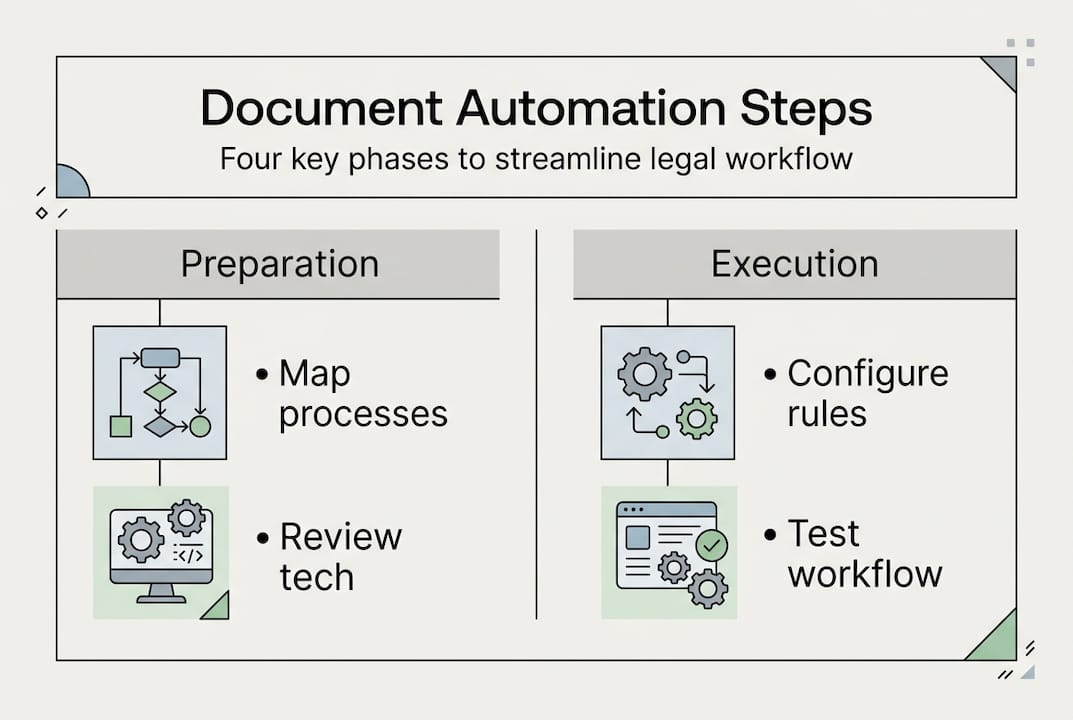
Step 2: Configure automation rules and data integration. Define the logic governing how documents generate and route through your organization. Set conditional rules that insert specific clauses based on transaction characteristics. For example, contracts exceeding certain dollar thresholds might automatically include additional insurance requirements or executive approval steps. Integrate your automation platform with existing systems like your CRM, contract management database, or matter management software so data flows automatically without manual re-entry.
Step 3: Test workflows to identify and fix errors. Never deploy automation workflows directly to production without rigorous testing. Create test scenarios covering common use cases and edge cases, then run documents through the complete workflow from generation through final approval. Verify that variable fields populate correctly, conditional logic triggers appropriate clauses, approval routing follows defined paths, and final documents meet formatting standards. AI-powered document drafting improves contract accuracy and reduces turnaround times, but only when configured properly through iterative testing.
Step 4: Train legal staff to use automation effectively. Technology only delivers value when people adopt it confidently. Develop role-specific training covering how to initiate document creation, review automated outputs, handle exceptions requiring manual intervention, and escalate technical issues. Create quick reference guides and video tutorials addressing common questions. Schedule hands-on practice sessions where team members generate real documents under supervision before going live.
Pro Tip: Implement automation in phases rather than automating everything simultaneously. Start with your highest-volume, lowest-complexity document types to build confidence and demonstrate quick wins. Use lessons learned from initial rollouts to refine your approach before tackling more complex, high-risk documents.
Compare outcomes between manual and automated approaches:
| Workflow Metric | Manual Process | Automated Process |
|---|---|---|
| Average contract drafting time | 3-5 hours | 15-30 minutes |
| Error rate per document | 8-12% | 1-3% |
| Approval cycle duration | 5-7 business days | 1-2 business days |
| Template version control issues | Frequent | Eliminated |
Incorporate version control mechanisms that track every document iteration, who made changes, when modifications occurred, and what specifically changed. Implement document comparison features that highlight differences between versions, making review faster and more thorough. These capabilities prove invaluable during audits or disputes when you need to reconstruct document evolution.
Explore legal document drafting tools that integrate AI assistance to suggest clause improvements, flag potential issues, and ensure consistency across your document portfolio. Advanced platforms learn from your template library and past documents to provide increasingly relevant recommendations over time.
Verifying and maintaining your document automation workflow
Automation workflows require ongoing verification and maintenance to sustain benefits and ensure continued compliance as regulations evolve. Treating implementation as a one-time project rather than an ongoing program leads to template drift, compliance gaps, and user frustration that erodes initial gains.
Establish regular audit schedules reviewing automated workflows quarterly at minimum, more frequently for high-risk document types or rapidly changing regulatory environments. During audits, verify that templates reflect current legal requirements, conditional logic still aligns with business rules, approval workflows route to active employees in correct roles, and integration points with other systems function properly. Document audit findings and track remediation of identified issues through completion.
Implement automated compliance checks that run whenever documents generate, flagging potential problems before finalization. Configure alerts for missing required clauses, inconsistent party information, unusual transaction terms outside normal parameters, or documents attempting to bypass required approval steps. Continuous verification and compliance checks prevent costly legal errors by catching mistakes when they're easiest and cheapest to fix.
Maintain a formal template update process triggered by regulatory changes, internal policy modifications, or lessons learned from contract disputes. When updates are needed:
- Impact assessment: Determine which templates and active documents the change affects
- Legal review: Verify proposed updates meet regulatory requirements and business needs
- Testing: Validate changes through the same rigorous process used during initial implementation
- Communication: Notify all users about updates and any workflow changes
- Archival: Preserve previous template versions with clear effective date ranges for audit trails
Invest in continuous training as your automation capabilities expand and team composition changes. New hires need comprehensive onboarding on automation tools and workflows. Existing staff require updates when you add features, modify processes, or expand automation to new document types. Schedule quarterly refresher sessions addressing common mistakes observed in audit reviews.
Pro Tip: Create a feedback loop where users can easily report template issues, suggest improvements, or request new automation features. Review this feedback monthly and incorporate valuable suggestions into your maintenance roadmap. Users who see their input implemented become automation champions who drive broader adoption.
Track key performance metrics to optimize workflows continuously:
| Metric Category | Specific Measures | Target Improvement |
|---|---|---|
| Efficiency | Time to generate documents, approval cycle duration | 50-70% reduction |
| Quality | Error rates, revision rounds required | 60-80% reduction |
| Compliance | Audit findings, regulatory violations | 90%+ reduction |
| Adoption | User satisfaction scores, automation usage rates | 80%+ adoption |
"Organizations that treat legal automation as an evolving capability rather than a fixed implementation achieve 3x greater long-term efficiency gains through continuous optimization and user-driven improvements."
Regularly benchmark your workflows against industry standards and emerging best practices. Legal technology evolves rapidly, with new capabilities like advanced AI analysis, predictive analytics, and natural language processing offering opportunities to enhance existing workflows. Stay informed about innovations that could benefit your specific use cases.
Leverage multi-jurisdiction compliance automation capabilities if your organization operates across multiple states or countries. Automated systems can apply jurisdiction-specific clauses, ensure local regulatory compliance, and flag conflicts between jurisdictions far more reliably than manual review.
Explore BXP Legal AI for document automation
Transforming your legal document workflows from manual chaos to automated efficiency requires the right technology partner. BXP Legal AI delivers AI-powered legal guidance and document automation tools designed specifically for small to medium enterprises seeking to enhance productivity while maintaining rigorous compliance standards.
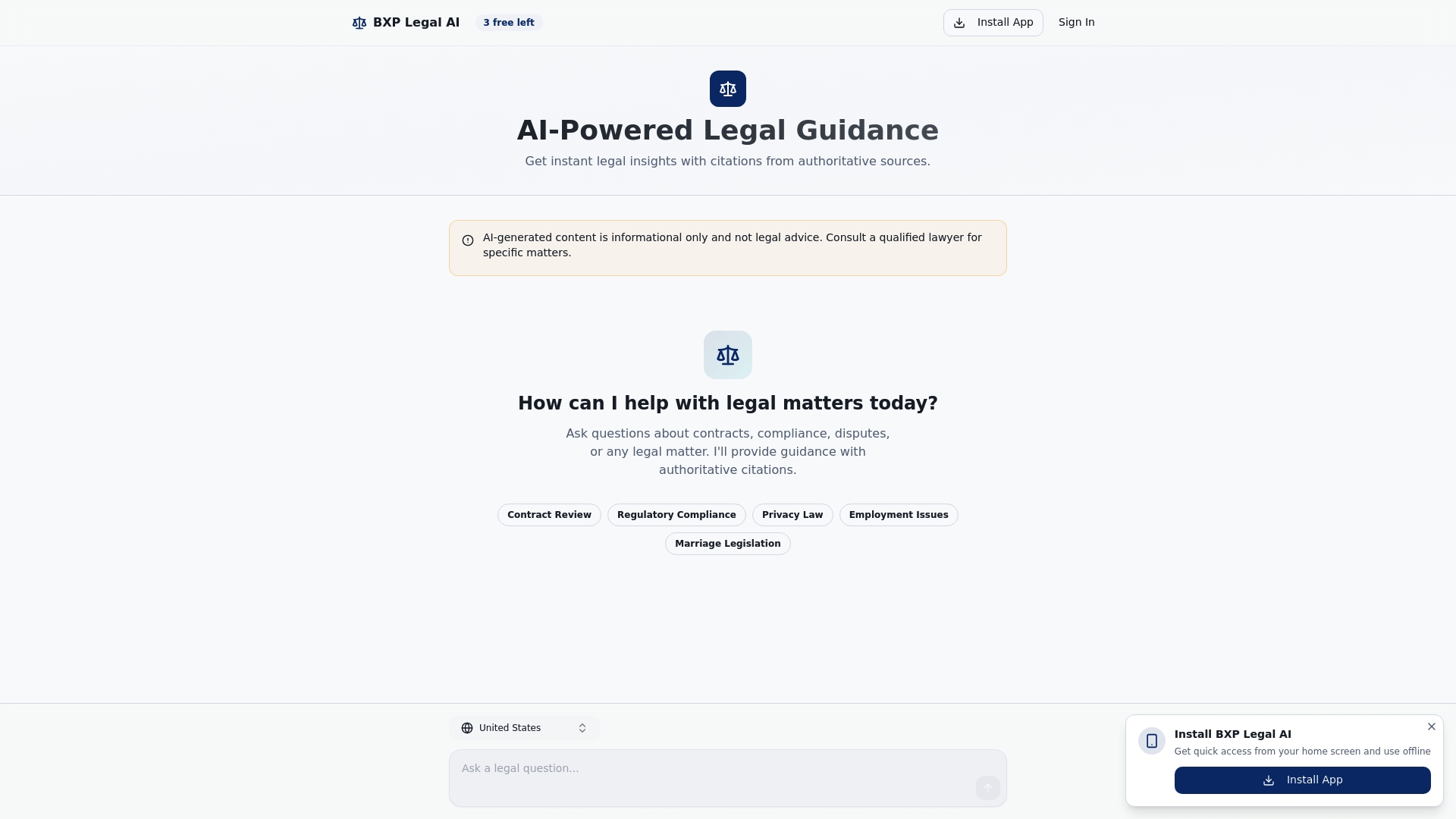
The platform combines intelligent document drafting with ready-made legal templates covering contracts, compliance forms, policies, and agreements across multiple practice areas. Advanced document comparison features help you track changes, identify discrepancies, and ensure version control throughout your workflows. Comprehensive legal templates resources provide professionally drafted starting points you can customize for your specific needs, dramatically accelerating implementation while reducing legal risk. Whether you're automating your first document type or scaling across your entire legal portfolio, BXP Legal AI offers the tools and support to build workflows that deliver measurable efficiency gains and compliance confidence.
Frequently asked questions
What types of legal documents can be automated?
Most standard contracts including employment agreements, vendor contracts, and NDAs automate effectively, along with compliance forms, internal policies, and routine correspondence. High-volume, low-variation documents deliver the best ROI from automation. Complex, heavily negotiated agreements may still require significant manual drafting but benefit from automated clause libraries and template starting points. Explore this types of legal documents guide for comprehensive coverage of automation candidates.
How does document automation improve regulatory compliance?
Automation ensures consistent use of pre-approved, compliant clause language across all documents, eliminating the risk of outdated or incorrect provisions. Workflows trigger mandatory compliance checks automatically based on document type, transaction characteristics, and applicable jurisdictions. Built-in approval routing ensures documents requiring compliance review never bypass that step. Learn more about regulatory compliance automation strategies for multi-jurisdiction operations.
What common mistakes should legal teams avoid in automation workflows?
Skipping thorough testing before deployment leads to errors that undermine user confidence and create compliance risks. Failing to update templates regularly as regulations change results in non-compliant documents. Inadequate user training causes low adoption and workarounds that defeat automation benefits. Not establishing clear template governance allows unauthorized modifications that introduce inconsistencies. Review these contract drafting mistakes to avoid for additional guidance on maintaining quality.
How long does it take to implement document automation workflows?
Timelines vary based on document complexity and volume, but most SME legal teams complete initial implementation for high-priority document types within 6-8 weeks. This includes preparation, configuration, testing, and training phases. Expanding automation to additional document types typically takes 2-4 weeks per type as teams gain experience. Phased rollouts starting with simpler documents build momentum and demonstrate value faster than attempting comprehensive automation simultaneously.
Can automation workflows integrate with existing legal technology systems?
Modern automation platforms offer robust integration capabilities with contract management systems, document repositories, matter management software, and CRM platforms through APIs and pre-built connectors. Integration enables automatic data population, eliminates duplicate entry, and creates seamless workflows spanning multiple systems. Evaluate integration capabilities carefully during tool selection, prioritizing platforms that connect with your existing technology stack to maximize efficiency gains and user adoption.