
Drafting legal documents can feel overwhelming for individuals and small business owners without legal training. Between navigating complex clauses, ensuring state compliance, and avoiding costly mistakes, the process often demands expensive attorney hours. AI technology now offers a practical solution, enabling you to generate initial drafts quickly while maintaining control over accuracy and legal safety. This guide walks you through a proven workflow for using AI to draft documents effectively, from selecting templates to validating outputs, so you can save time and money without sacrificing quality.
Table of Contents
- Key Takeaways
- Understanding the challenges of drafting legal documents
- Preparing to draft: essential tools and templates
- Step-by-step guide to drafting with AI
- Common pitfalls and how to verify your AI-drafted documents
- Discover BXP Legal AI for smarter legal drafting
- Frequently asked questions
Key Takeaways
| Point | Details |
|---|---|
| AI drafting speed | AI can generate initial drafts quickly, but a human must review for legal safety and accuracy. |
| Templates and prompts | Begin with state specific templates and craft prompts that specify your jurisdiction and required clauses. |
| Structured validation workflow | Follow a six step safe use workflow from risk triage to finalization to validate each clause. |
| AI errors and hallucinations | Common issues include vague governing law clauses, biased liability terms, ambiguous IP ownership, and incomplete termination conditions. |
| Verification and expert consultation | Always validate AI generated outputs against reliable legal sources and consult an attorney for high value or complex matters. |
Understanding the challenges of drafting legal documents
Legal document drafting demands precision that most non-experts lack. A single ambiguous clause can expose you to liability, invalidate agreements, or trigger costly disputes. Traditional drafting requires understanding jurisdiction-specific statutes, case law precedents, and industry standards, making DIY approaches risky for important contracts.
AI tools now match or exceed human lawyers in contract drafting speed and reliability for straightforward tasks. These systems analyze thousands of legal documents to generate drafts in minutes rather than hours. However, they struggle with complex multi-source reasoning and frequently hallucinate fake citations, phantom dates, or non-existent legal standards.
Common AI errors create serious risks:
- Vague jurisdiction clauses that fail to specify governing law
- One-sided liability provisions favoring the wrong party
- Ambiguous intellectual property ownership terms
- Incomplete termination conditions leaving exit rights unclear
These contract clauses AI consistently gets wrong require careful human review. The technology excels at generating structure and standard language but lacks judgment for nuanced legal strategy.
"AI drafting tools achieve impressive speed but cannot replace the contextual understanding and risk assessment that experienced attorneys provide for high-stakes agreements."
You can reduce LLM hallucinations through structured prompts and verification workflows. Detailed instructions specifying jurisdiction, document type, and required clauses improve output quality significantly. Always validate AI-generated content against reliable legal sources before relying on it.
For complex matters or high-value transactions, consult legal experts even when using AI assistance. The technology works best as a drafting accelerator under human supervision, not as a replacement for professional legal advice.
Preparing to draft: essential tools and templates
Successful AI-assisted drafting starts with proper preparation. You need the right tools, quality templates, and a clear understanding of your document requirements before generating any content.
Begin with well-crafted legal templates matching your specific document type. Generic templates miss jurisdiction-specific requirements and create compliance gaps. Look for resources offering state-specific forms that include all mandatory clauses for your situation.
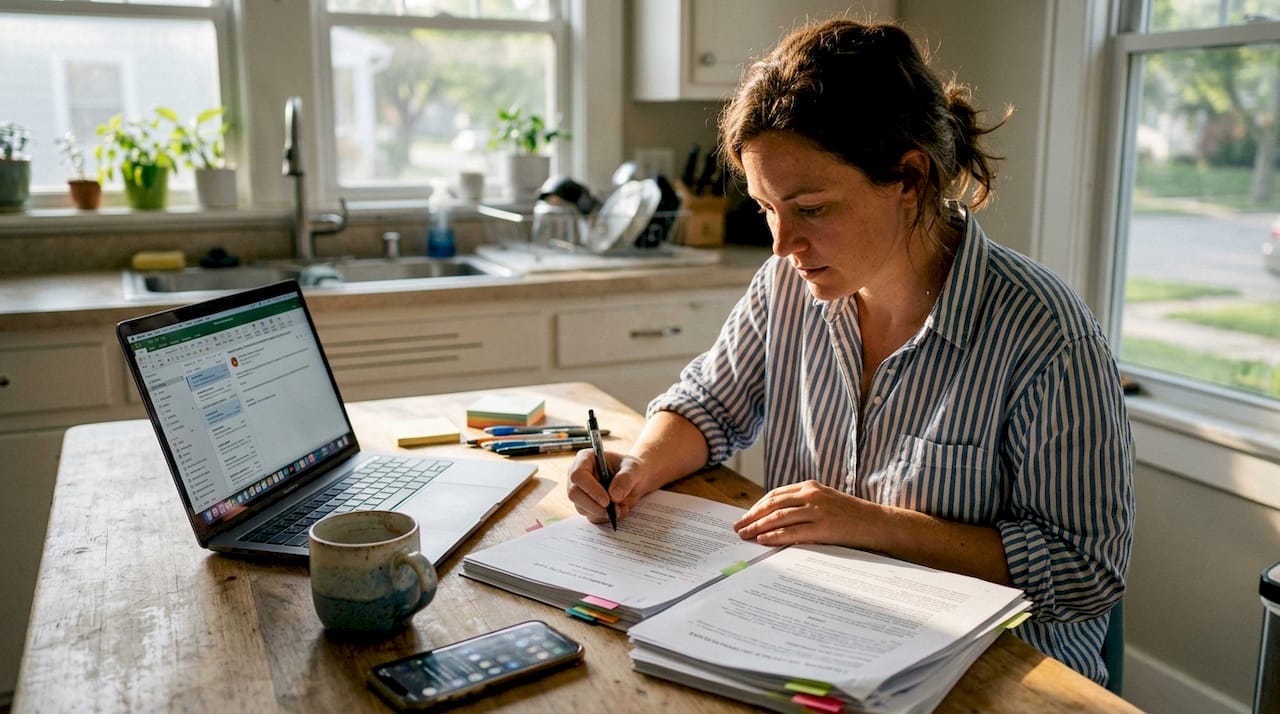
Choose AI tools that accept detailed prompt input and allow jurisdiction specification. Basic chatbots produce generic outputs unsuitable for legal use. You need platforms designed for legal drafting that understand terminology, clause structures, and compliance requirements.
Craft prompts that specify:
- Your state or jurisdiction for governing law
- Document type and primary purpose
- Key clauses required for your situation
- Plain English requirement for readability
- Parties involved and their relationship
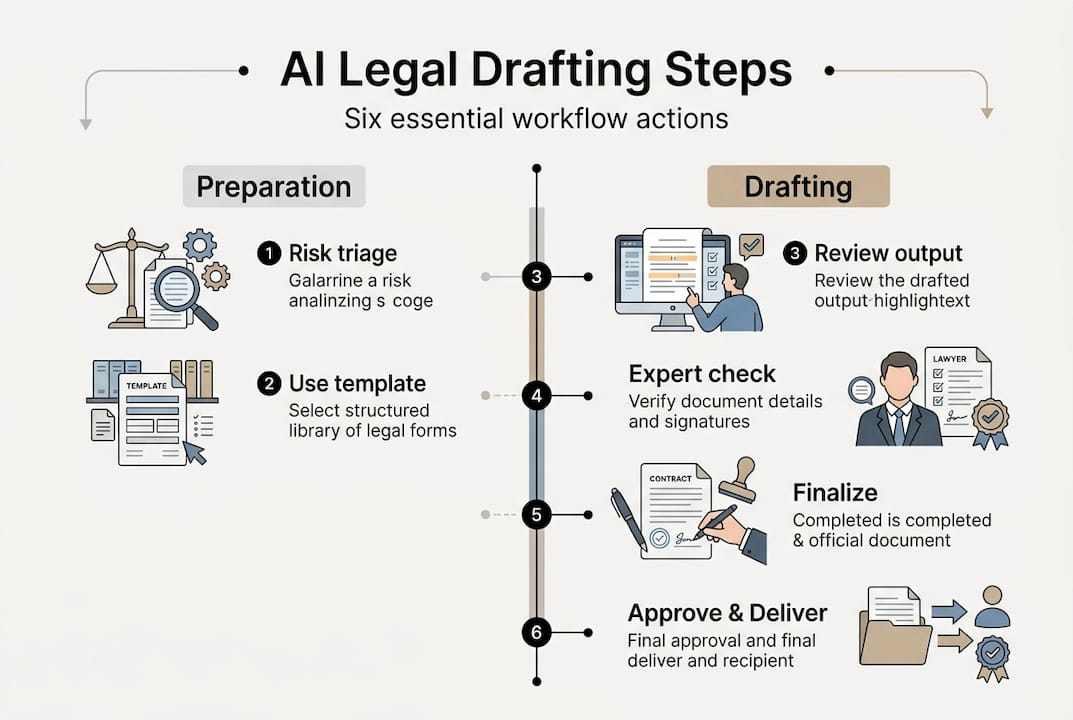
The 6-step safe-use workflow reduces risks systematically. Start with risk triage to assess document complexity. Use a proven template as your foundation. Write detailed jurisdictional prompts. Validate each clause manually. Finalize with appropriate signatures.
| Resource | Purpose | When to use |
|---|---|---|
| Legal templates | Provide structure and mandatory clauses | Starting point for all documents |
| AI drafting tools | Generate initial content quickly | After defining requirements |
| Jurisdiction guides | Ensure state compliance | During prompt creation |
| Clause libraries | Add specific provisions | When customizing templates |
| Review checklists | Catch common errors | Before finalizing documents |
Pro Tip: Create a reusable prompt template for your most common document types. Include placeholders for parties, dates, and specific terms, then fill these in for each new draft. This approach maintains consistency and reduces the chance of missing critical details.
Invest time in mastering contract drafting strategies that apply whether you use AI or draft manually. Understanding clause purposes and common pitfalls helps you evaluate AI outputs effectively.
Access legal templates designed for AI-assisted drafting. These include annotation explaining each clause's purpose, making it easier to customize and validate generated content.
Step-by-step guide to drafting with AI
Follow this proven workflow to draft legal documents safely using AI assistance. Each step builds on the previous one to minimize errors and maximize output quality.
-
Define your document requirements clearly. List all parties, key terms, obligations, timelines, and jurisdiction before touching any AI tool. Vague inputs produce vague outputs.
-
Select an appropriate template matching your document type and state. Templates provide the structural framework AI needs to generate compliant content.
-
Write a detailed prompt specifying your state, document purpose, required clauses, and plain English preference. Include specific details about parties, transaction terms, and any non-standard provisions you need.
-
Generate the initial draft and review it section by section. Check that all required clauses appear and that jurisdiction-specific requirements are addressed.
-
Validate each clause for accuracy, completeness, and compliance. Cross-reference against your jurisdiction's legal requirements and industry standards.
-
Revise ambiguous language and strengthen weak provisions. AI often produces passive voice and vague terms that need tightening.
-
Have a qualified attorney review high-stakes documents before signing. AI assistance reduces drafting time but cannot replace professional legal judgment.
AI drafting achieves 73.3% reliability versus 56.7% to 70% for human lawyers in benchmark studies, but only with careful prompt engineering. Speed gains mean nothing if the output contains legal errors.
Prompt best practices include specifying your state, document type, goals, and required clauses in plain English. Avoid including personal data or confidential information in prompts, as AI systems may store or learn from your inputs.
Pro Tip: Break complex documents into sections and generate each separately. This approach gives you more control over each part and makes validation easier. Combine sections only after reviewing each thoroughly.
Use legal document drafting features that integrate templates, AI generation, and validation tools in one workflow. Integrated platforms reduce the risk of losing critical details when moving between tools.
Common pitfalls and how to verify your AI-drafted documents
AI makes predictable mistakes that you must catch before signing any document. Understanding these patterns helps you focus review efforts where they matter most.
Typical AI drafting errors include:
- Vague jurisdiction clauses failing to specify governing law clearly
- One-sided liability provisions that favor the wrong party
- Ambiguous intellectual property ownership leaving rights unclear
- Incomplete termination conditions missing notice requirements
- Indemnity gaps that fail to cover key risk scenarios
These contract clauses AI consistently gets wrong require extra scrutiny during review. AI generates plausible-sounding language that may lack legal precision.
| Review approach | Strengths | Limitations |
|---|---|---|
| Manual legal review | Catches nuanced issues and strategic risks | Expensive and time-consuming |
| AI-only drafting | Fast and inexpensive initial drafts | Misses context and produces hallucinations |
| Hybrid workflow | Balances speed with accuracy | Requires legal knowledge to validate |
AI systems trained for safety produce higher-quality contracts but may refuse legitimate queries. This tradeoff means you might need multiple attempts to generate certain clauses, particularly those involving unusual terms or complex conditions.
"Safety-trained language models improve output quality by refusing risky requests, but this caution sometimes blocks legitimate legal drafting tasks that require careful human judgment."
Hallucinations include fake citations, phantom dates, and non-existent legal standards. Always verify any case citations, statutory references, or regulatory requirements the AI includes. Cross-check against official legal databases before relying on any cited authority.
Validate AI outputs systematically:
- Confirm all required clauses appear and address your specific needs
- Check that jurisdiction and governing law match your state
- Verify that rights and obligations balance fairly between parties
- Ensure termination, liability, and dispute resolution clauses are complete
- Review for passive voice and vague language that weakens enforceability
Use AI in document drafting best practices that emphasize validation workflows. The goal is not perfection from AI but rather a strong first draft that you can refine efficiently.
Discover BXP Legal AI for smarter legal drafting
Drafting legal documents safely requires more than just AI tools. You need integrated workflows that combine templates, generation, and validation in one platform.
BXP Legal AI offers advanced AI-powered tools designed specifically for legal document drafting and guidance. Access customizable legal templates built for AI-assisted workflows, with annotations explaining each clause's purpose and common pitfalls.
Use document comparison features to review AI drafts against original templates or previous versions. This side-by-side analysis helps you spot where AI deviated from proven language and whether those changes improve or weaken your position. Expert-reviewed workflows reduce risks by guiding you through validation steps that catch common AI errors before they become problems.
Frequently asked questions
What are the main benefits of using AI to draft legal documents?
AI speeds drafting significantly and lowers costs for standard documents like NDAs, service agreements, and employment contracts. It generates initial drafts in minutes rather than hours, helping you identify required clauses and structure content properly. Human review remains essential for legal compliance and complex cases. Use legal document drafting tools that integrate AI with validation workflows for best results.
How can I ensure the AI-drafted document complies with my state's laws?
Use detailed prompts specifying your state or jurisdiction explicitly. Include requirements unique to your location, such as specific notice periods or mandatory clauses. Validate clauses manually against your state's legal requirements or consult an attorney for high-stakes documents. Follow multi-jurisdiction legal steps when your agreement crosses state lines or involves parties in different locations.
What common mistakes should I watch for in AI-generated contracts?
Watch for vague governing law clauses that fail to specify jurisdiction clearly. Check for one-sided liabilities that favor the wrong party and ambiguous intellectual property ownership leaving rights unclear. AI often produces incomplete termination conditions and hallucinated phantom terms or incorrect citations. Always consult legal experts when stakes are high or terms are complex.
Can AI completely replace attorneys for legal document drafting?
No. AI excels at generating structure and standard language but lacks judgment for nuanced legal strategy and risk assessment. Use AI to accelerate drafting and reduce costs for routine documents, but have attorneys review agreements involving significant money, long-term commitments, or complex rights. AI works best as a tool under human supervision, not as a replacement for professional legal advice.