
TL;DR:
- 73% of SMBs fail document audits, averaging $94,000 in annual penalties.
- Modern verification uses AI, OCR, and biometrics to detect sophisticated fraud.
- Combining automation with human review and process transparency enhances compliance and reduces risks.
Seventy-three percent of small and medium-sized businesses fail document audits, and the average annual penalty bill runs $94,000 in losses. That is not a paperwork problem. That is a business survival problem. Most SMB owners treat document verification as a back-office chore, something to handle when there is time. But sloppy verification exposes you to fraud, regulatory fines, and reputational damage that can take years to repair. This article walks you through why verification matters, how modern systems actually work, where audits go wrong, and how to choose the right solution before a regulator forces your hand.
Table of Contents
- Why document verification is critical for SMBs
- How modern document verification works
- Key compliance risks and document audit pitfalls
- Choosing the right document verification solution
- Our perspective: Why verification alone isn't enough
- Ready to safeguard your business with smarter verification?
- Frequently asked questions
Key Takeaways
| Point | Details |
|---|---|
| Audit failures are costly | SMBs often lose tens of thousands annually due to poor document verification and failed audits. |
| Automate for accuracy | Modern AI-driven verification reliably detects fraud and errors, outperforming manual checks. |
| Layer your verification | Combine document checks with biometrics and database cross-referencing for stronger compliance. |
| Test your workflows | Validate your systems with real documents before audits to catch hidden risks early. |
| Choose solutions wisely | Not all verification platforms are equal; opt for hybrid approaches and test with your real use cases. |
Why document verification is critical for SMBs
Document verification means confirming that the records your business collects, stores, and relies on are genuine, accurate, and legally valid. That covers employee IDs, vendor contracts, business licenses, tax filings, and more. When verification is weak, every one of those documents becomes a liability.
The numbers are hard to ignore. Audit failures and fines hit 25% of SMBs with warnings or financial penalties averaging between $2,000 and $10,000 per incident. Multiply that across a year of poor workflows and you reach that $94,000 figure fast. For a small business operating on tight margins, that kind of hit can be catastrophic.
But the risk goes beyond fines. Poor document verification opens the door to:
- Fraud and financial crime: Fake vendor invoices, forged employee credentials, and fabricated contracts cost businesses billions annually.
- Regulatory breaches: KYB (Know Your Business) and KYC (Know Your Customer) regulations require verified records. Gaps mean violations.
- Reputational damage: A single audit failure or fraud incident can destroy supplier and client trust built over years.
- Operational disruption: When documents are flagged, operations freeze. Contracts stall. Payments halt.
"Document verification is essential for SMBs to ensure compliance with KYB/KYC regulations, preventing fraud, financial crimes, and legal penalties."
Verification is not optional. It is the legal and operational shield that keeps your business running without interruption. A solid compliance checklist for SMBs is a good starting point, but the checklist only works if the documents behind it are verified and trustworthy.
Think of it this way: your compliance program is only as strong as the documents it is built on. If those documents are wrong, expired, or forged, your entire compliance posture collapses. Verification is the foundation, not an afterthought.
How modern document verification works
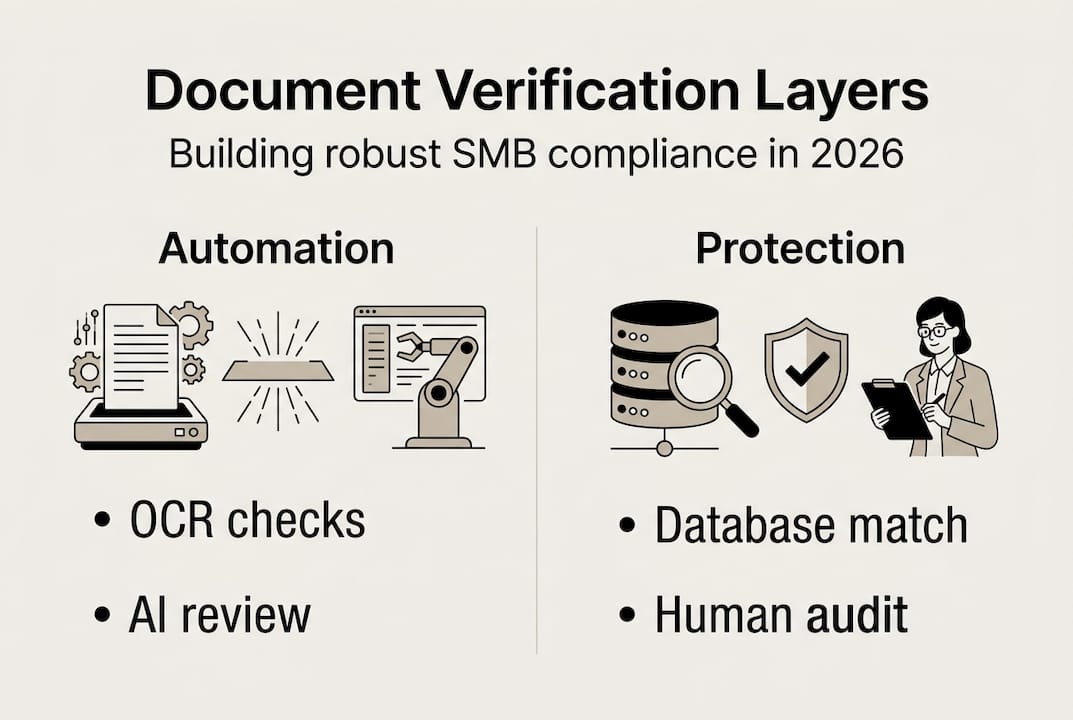
Manual document checks, someone eyeballing a scanned ID or comparing a signature by hand, simply cannot keep up with today's fraud landscape. Modern verification uses a multi-layered technical stack that catches what human eyes miss.
Here is how the process breaks down:
- Data capture: Documents are scanned or uploaded digitally. Image quality and format are assessed before processing begins.
- OCR processing: Optical Character Recognition (OCR) extracts text from the document automatically. OCR for data extraction must hit 99%+ accuracy or errors compound downstream.
- AI validation: Artificial intelligence analyzes fonts, pixel patterns, holograms, and metadata to detect forgeries. It cross-references extracted data against authoritative databases.
- Biometric liveness checks: For identity documents, biometric verification confirms the person presenting the document is real and present, not a photo or video replay.
- Multi-database cross-check: Verified data is matched against government registries, watchlists, and business databases to confirm authenticity.
| Verification layer | What it checks | Why it matters |
|---|---|---|
| OCR extraction | Text accuracy | Prevents data entry errors |
| AI forgery detection | Fonts, pixels, holograms | Catches sophisticated fakes |
| Database cross-check | Government and watchlist records | Confirms legal validity |
| Biometric liveness | Real-person confirmation | Blocks deepfake attacks |
Emerging threats are raising the bar. Deepfakes and synthetic documents, records that look completely legitimate but are entirely fabricated, are now sophisticated enough to fool basic AI systems. A 1% fraud gap in document processing can cascade into thousands of downstream errors. That is why benchmarks now demand 99.5% accuracy or higher.
You can learn more about how document verification methods have evolved beyond simple ID checks. Platforms that use AI in legal document drafting apply similar intelligence layers to catch inconsistencies before documents are finalized. And document comparison features can flag version discrepancies that manual reviews routinely miss.
Pro Tip: Never rely on a single verification layer. A system that only uses OCR without AI validation or database cross-checks will miss forgeries that a layered approach catches instantly.
Key compliance risks and document audit pitfalls
Knowing that audits fail is one thing. Understanding exactly why they fail gives you the power to prevent it. The most common causes are surprisingly avoidable.
Here is what triggers audit failures most often:
- Outdated systems: Legacy software that cannot read modern document formats or flag expired credentials.
- Poor scan quality: Blurry or incomplete scans make data extraction unreliable, causing validation errors.
- Missing data fields: Incomplete records, a missing date, an unverified signature, are automatic red flags.
- Non-standard formats: Documents from international vendors or employees often use formats that domestic systems cannot process correctly.
- Human bias and fatigue: Manual reviewers make inconsistent decisions, especially under time pressure.
The compliance risk evidence is clear: 73% of SMBs fail audits at least once, and the financial fallout averages $94,000 annually. That figure includes direct fines, legal fees, and operational disruptions.

| Risk factor | Manual workflow | Automated workflow |
|---|---|---|
| Human error rate | High (fatigue, bias) | Low (consistent processing) |
| Format compatibility | Limited | Broad and scalable |
| Audit trail quality | Inconsistent | Complete and timestamped |
| Fraud detection speed | Slow | Real-time |
| Scalability | Poor | High |
Good compliance drafting guidance helps you build records that hold up under scrutiny from the start. Pairing that with smart document retention tips ensures you are not scrambling to locate records when an auditor arrives.
Pro Tip: Run an internal mock audit before any official review. Use the same criteria a regulator would apply. You will find gaps you never knew existed, and fixing them on your own timeline costs far less than fixing them under pressure.
Choosing the right document verification solution
Not every business needs the same verification setup. A freelance consulting firm has different risk exposure than a staffing agency or a financial services provider. Choosing the right solution starts with understanding your own risk profile.
Here is a practical framework for evaluating your options:
- Map your document types: List every document category your business collects, from employee IDs to vendor contracts to regulatory filings.
- Assess risk by category: High-risk documents, those tied to financial transactions or regulatory requirements, need full multi-layer verification. Low-risk documents may need only basic validation.
- Test with your own documents: Vendor benchmarks are often run on ideal-condition datasets. Benchmarks without transparency can mislead you. Always test any solution against your actual document set, including edge cases.
- Evaluate hybrid capability: The best systems combine AI speed with human review for complex or ambiguous cases. Pure automation breaks down on unusual formats or damaged documents.
- Check integration depth: Your verification solution needs to connect with your existing HR, legal, and compliance systems without creating new data silos.
Key features to prioritize:
- Real-time processing to avoid workflow bottlenecks
- Audit trail generation for every document reviewed
- Multi-format support for international and non-standard documents
- Configurable risk thresholds so you can scale checks up or down by document type
- Transparent accuracy reporting so you know exactly where the system performs and where it does not
If your business operates across state lines or internationally, multi-jurisdiction legal workflows add another layer of complexity. Verification requirements vary by jurisdiction, and a solution that works in one state may not meet standards in another.
Pro Tip: Request a demo using your own documents, not the vendor's sample set. Ask specifically about failure rates on non-standard formats. If the vendor cannot answer that question, keep looking.
Our perspective: Why verification alone isn't enough
Here is something most verification vendors will not tell you: document verification, even excellent document verification, is not a complete compliance solution on its own.
The field is evolving fast. IDV experts note that document verification must now layer with biometrics and live database cross-checks to remain effective. Some experts argue that deepfakes and synthetic identity fraud are making pure document checks obsolete. We do not think verification is dead, but we do think treating it as a standalone fix is a serious mistake.
The businesses that get this right do two things differently. First, they keep humans in the loop for edge cases. AI reduces error rates dramatically, but it is not infallible. A human reviewer catching one sophisticated deepfake can save more than the cost of the entire verification program. Second, they invest in process transparency, not just technology. Knowing what your system checked, when, and how it reached a verdict is as important as the verdict itself.
We recommend automating SMB document workflows as a foundation, but always with clear escalation paths for cases that fall outside normal parameters. Technology handles volume. Humans handle judgment. Build your system to leverage both.
Ready to safeguard your business with smarter verification?
Understanding the risks is the first step. Acting on them is what separates businesses that pass audits from those that pay the penalties. The BXP Legal AI platform is built specifically for SMBs navigating exactly these challenges, combining AI-powered legal guidance with practical compliance tools.
From multi-jurisdiction support that keeps you compliant across state and international boundaries, to document automation templates that standardize your verification workflows from day one, BXP Legal AI gives you the infrastructure to verify smarter, not just harder. Ask a compliance question, review a contract, or build a document workflow, all in one place, with AI-backed guidance you can act on immediately.
Frequently asked questions
What types of documents must SMBs verify for compliance?
SMBs should verify employee IDs, business licenses, contracts, and vendor credentials to meet KYB/KYC regulations. The specific requirements vary by industry and jurisdiction, so review your regulatory obligations regularly.
How much money can SMBs lose due to failed document audits?
On average, SMBs lose $94,000 annually in penalties and disruptions from failed audits. Individual incidents can range from $2,000 to $10,000 per fine, depending on the severity of the compliance gap.
What makes modern verification more reliable than manual checks?
Modern systems use OCR, AI, and biometric checks to achieve 99%+ accuracy, catching sophisticated fraud that manual reviewers routinely miss. Automated systems also generate consistent audit trails that manual processes cannot reliably produce.
What is a risk-based verification approach?
Risk-based verification tailors the depth of checks to the specific risk level of each document type, using minimal checks for low-risk documents and full multi-layer verification for high-risk ones. This approach balances compliance rigor with operational efficiency.
Recommended
- Legal compliance checklist for SMBs: essential 2026 steps
- Multi-jurisdictional legal guide for SMBs in 2026
- Why legal documentation matters: protect your business in 2026
- Document drafting guide for small businesses: compliance
- Korp.ph | Regulatory trends in the Philippines 2026: What businesses must know