
TL;DR:
- AI legal tools now reliably assist SMBs with contract review and drafting, outperforming human benchmarks.
- A hybrid workflow combining AI automation and human oversight minimizes risks and ensures compliance.
- Regular audits, clear approval thresholds, and standardized templates are essential for effective and compliant AI legal workflows.
Legal work quietly drains small and medium-sized businesses. Between reviewing vendor contracts, tracking compliance deadlines, and managing employment agreements, the average SMB owner spends hours each week on tasks that feel urgent but never quite get done right. The good news? AI-powered legal tools have matured fast. Top AI tools now hit 73% reliability in contract drafting and review, actually outperforming the average human lawyer benchmark of 57%. This guide walks you through a practical, step-by-step workflow to bring AI legal guidance into your business without overcomplicating it or replacing the human judgment that still matters most.
Table of Contents
- What you need to get started with AI legal guidance
- Step-by-step: Build your AI legal guidance workflow
- Ensuring compliance with AI in legal processes
- Human review, limitations, and pitfalls to avoid
- A fresh perspective: Why smart workflows always blend AI with judgment
- Streamline your legal guidance with BXP Legal AI
- Frequently asked questions
Key Takeaways
| Point | Details |
|---|---|
| AI boosts legal efficiency | Top AI tools now match or surpass average human lawyers in contract tasks at a fraction of the cost. |
| Preparation ensures success | Choosing the right tools and integrations is the foundation of a reliable AI legal workflow. |
| Compliance is a moving target | Regular audits and adjusting for state regulations protect your business from compliance risks. |
| Human expertise is essential | Even the best AI requires expert review for strategy, liability, and final decision-making steps. |
| BXP Legal AI accelerates adoption | Purpose-built platforms like BXP Legal AI make workflow design, integration, and scaling seamless for SMBs. |
What you need to get started with AI legal guidance
Before you run a single contract through an AI tool, you need the right foundation. Think of this phase as setting up your kitchen before you cook. You would not start a recipe without checking your ingredients, and the same logic applies here.
The core components of an AI legal workflow include an AI legal platform, a document management system or word processor, and ideally a contract lifecycle management (CLM) system. A CLM system is software that tracks contracts from creation through signing and renewal. Not every SMB needs one immediately, but it becomes valuable once you are handling more than a handful of agreements per month.
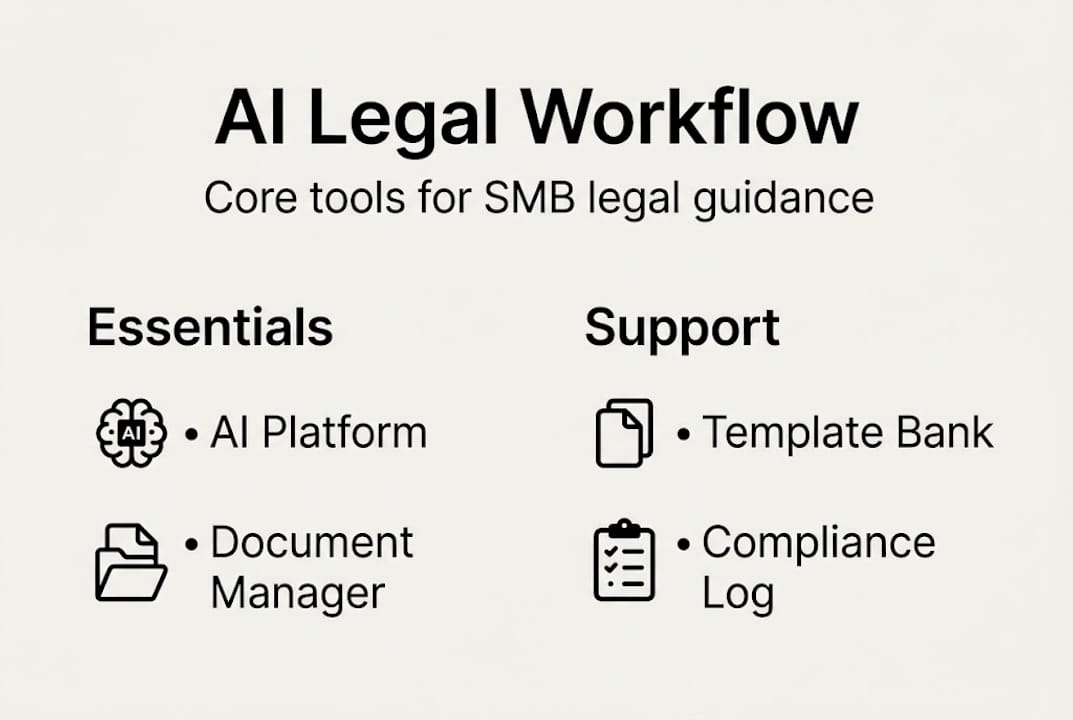
Here is a quick comparison of popular tools suited for SMBs:
| Tool | Starting Price | Best For | Integration |
|---|---|---|---|
| Jenova AI | ~$29/mo | Contract review | Word, Google Docs |
| Lawgeex | ~$49/mo | Automated contract analysis | CLM systems |
| Spellbook | ~$99/mo | Contract drafting | Microsoft Word |
| Clio Duo | ~$200/mo | Full legal practice management | Broad integrations |
As noted in guidance for small firms, these tools are designed for affordability and plug directly into Word or existing CLM systems, making adoption realistic for lean teams.
Beyond software, you also need:
- A library of your most common contract templates
- A clear list of your compliance obligations (state, federal, and industry-specific)
- At least one designated person responsible for reviewing AI outputs
- A basic data security policy covering how documents are uploaded and stored
Understanding what AI legal tools actually do helps you set realistic expectations before you invest time in setup. These tools accelerate routine tasks. They do not replace legal strategy.
Pro Tip: Start with one process, ideally contract review, before expanding. Trying to automate everything at once creates confusion and increases the risk of errors slipping through unnoticed.
Step-by-step: Build your AI legal guidance workflow
Once you have your tools and resources ready, follow these steps to get your workflow running.
- Choose your first use case. Contract review is the most common starting point for SMBs because it offers immediate, measurable time savings. Pick a contract type you handle frequently, such as vendor agreements or NDAs.
- Onboard your AI tool. Create your account, connect it to your document storage (Google Drive, SharePoint, or your CLM), and upload two or three sample contracts to test the system.
- Input your first document. Upload a real contract or draft. Most tools will flag risky clauses, missing terms, and unusual language automatically.
- Review the AI output. Read every flag the tool raises. Do not accept suggestions blindly. Use the output as a first-pass analysis, not a final answer.
- Route for human approval. Any contract above a certain dollar threshold or involving unusual terms should go to a qualified attorney before signing.
- Store and log the result. Save the reviewed document with version notes. This creates an audit trail you will need for compliance purposes.
To help you decide which workflow model fits your business, here is a practical comparison:
| Workflow Type | Speed | Cost | Risk Level | Best For |
|---|---|---|---|---|
| AI only | Very fast | Low | Higher | Low-stakes, routine docs |
| Human only | Slow | High | Lower | Complex, high-value matters |
| Hybrid (AI + human) | Fast | Moderate | Lowest | Most SMB situations |
The hybrid model wins for most SMBs. You can streamline legal work with AI for the bulk of routine tasks while reserving attorney time for decisions that carry real financial or legal risk. Given that top AI tools achieve 73% reliability in contract review, you are getting strong first-pass accuracy, but that remaining margin still matters.
Common bottlenecks include slow document uploads, inconsistent template formatting, and unclear approval chains. Fix these early by standardizing your templates and defining who approves what before you scale. If you want to master contract drafting at a deeper level, or need a broader AI document drafting guide, both are worth exploring as your workflow matures.

Pro Tip: Use batch processing whenever possible. Uploading ten contracts at once for review is far more efficient than processing them one by one, and most platforms support it.
Ensuring compliance with AI in legal processes
With your workflow running, every step needs to hold up under regulatory scrutiny. This is where many SMBs get comfortable too fast.
Compliance requirements for AI-assisted legal work vary significantly by state and industry. State-specific AI regulations in California and Colorado, for example, require bias audits for automated decision-making tools, and these rules are expanding. If your business operates across multiple states, you face a layered compliance picture.
Key compliance practices to build into your workflow:
- Document every AI-assisted decision. Keep logs showing which tool was used, when, and what the output was.
- Set data retention limits. Do not store sensitive contract data in AI tools longer than necessary. Most platforms allow you to configure retention windows.
- Schedule quarterly reviews. Laws change. A workflow that was compliant in January may need adjustments by April.
- Audit your AI tool's data handling. Confirm your vendor meets SOC 2 or equivalent security standards.
- Check sector-specific rules. Healthcare, finance, and employment-related contracts carry additional regulatory layers beyond general contract law.
Using a solid compliance contract checklist reduces the chance of missing a critical requirement. If your business crosses state lines, multi-jurisdiction compliance becomes a structured discipline, not just a checkbox.
Critical compliance warning: Never treat AI-generated legal output as final legal advice. AI tools provide informational analysis only. Regulatory decisions, especially those involving employment, data privacy, or financial agreements, must be reviewed by a qualified attorney before action is taken.
Transparency logs are particularly important. If a regulator or opposing party ever questions a decision your business made based on a contract, you need a clear record showing how that contract was reviewed and approved.
Human review, limitations, and pitfalls to avoid
No AI workflow is complete without safeguards. Technology handles speed. Humans handle judgment.
Here is a practical sequence for building human oversight into your workflow:
- Set dollar thresholds. Any contract valued above a defined amount (many SMBs use $10,000 as a starting point) automatically requires attorney review.
- Flag unusual clauses. Train your team to escalate any AI-flagged clause they do not fully understand, rather than accepting the AI's suggested resolution.
- Review outputs weekly. Assign someone to check AI performance regularly. Are the flags accurate? Are suggestions improving or degrading over time?
- Document exceptions. When you override an AI recommendation, note why. This builds institutional knowledge and protects you if a dispute arises.
Common SMB mistakes in AI-augmented legal workflows include:
- Skipping human review on contracts that seem routine but contain unusual indemnification clauses
- Using AI tools for legal strategy decisions (AI is not equipped for this)
- Failing to update templates after regulatory changes
- Treating AI output as a substitute for actual legal advice
- Ignoring data privacy obligations when uploading sensitive documents to third-party platforms
As guidance for small firms makes clear, AI excels at first-pass tasks like boilerplate review and data extraction, but it needs human oversight for strategy, edge cases, and liability-sensitive decisions. The AI legal limitations are real and worth understanding before you scale.
Pairing AI and human legal review is not a sign of distrust in the technology. It is the sign of a mature, defensible workflow. For broader AI legal guidance tips, the principle is consistent: augment, do not abdicate.
Pro Tip: Schedule a quarterly workflow audit. Review which contracts were flagged, which were overridden, and whether any legal issues emerged post-signature. This feedback loop makes your workflow smarter over time.
A fresh perspective: Why smart workflows always blend AI with judgment
Here is something the AI hype cycle rarely admits: the businesses that get the most value from AI legal tools are not the ones that automate the most. They are the ones that automate precisely.
Conventional wisdom treats AI as a cost-cutting replacement for legal work. That framing misses the point entirely. The real advantage is amplification. When you use AI to handle the repetitive, extractive work, your attorneys and advisors get to spend their time on the decisions that actually shape your business outcomes.
The uncomfortable truth is that over-automating legal workflows creates a false sense of security. A contract that passes an AI review is not necessarily a safe contract. It is a contract that passed a pattern-matching algorithm. Context, negotiating leverage, and long-term relationship dynamics are things no current AI tool can fully evaluate.
Following AI guidance best practices means treating AI as a first-pass filter, not a final decision-maker. The SMBs that build this discipline early will have a significant advantage over those that learn it the hard way after a costly contract dispute.
Streamline your legal guidance with BXP Legal AI
Ready to transform your legal workflow into a competitive advantage?
BXP Legal AI is built specifically for businesses like yours. Whether you are reviewing vendor contracts, tracking compliance across states, or drafting employment agreements, the platform gives you instant AI-powered legal guidance backed by authoritative citations.
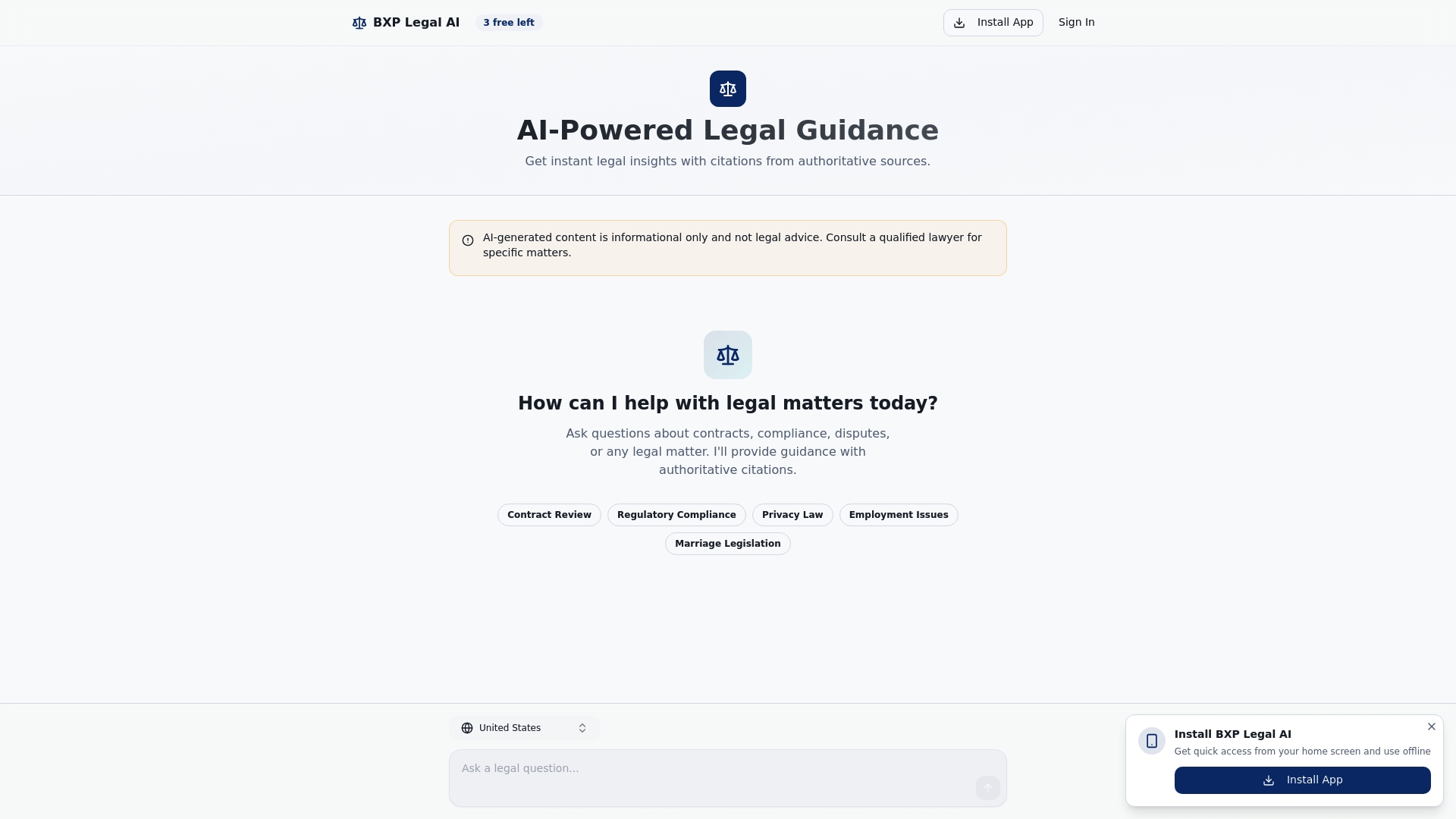
BXP Legal AI offers multi-jurisdiction legal support so your workflow stays compliant whether you operate in one state or ten. The platform's document comparison tools let you spot changes between contract versions in seconds. Start with a free exploration of the platform and see how quickly AI can take the pressure off your legal processes without replacing the human judgment that protects your business.
Frequently asked questions
What is an AI legal guidance workflow?
It is a step-by-step process using AI tools to manage contracts, compliance, and other legal needs, typically paired with expert human review. Top AI tools now achieve 73% reliability in contract drafting and review, making them a practical foundation for SMB legal operations.
Which AI tools are best for SMB legal support?
Top picks for 2026 include Jenova AI, Lawgeex, Spellbook, Clio Duo, and Descrybe, all designed for affordability and ease of integration. These tools recommended for small firms connect directly with Word and common CLM platforms.
How can I ensure my AI-augmented legal workflow is compliant?
Review state-specific AI regulations, schedule quarterly audits, and use AI features for data transparency and retention controls. States like California and Colorado already require bias audits for automated decision tools.
Why does human review still matter when using AI for legal work?
AI handles routine tasks efficiently, but skilled professionals are critical for strategy, interpretation, and preventing costly mistakes. As guidance for small firms confirms, AI needs human oversight for edge cases and liability-sensitive decisions.